

An AI agent can finish the hardest part of a task and still leave the result unusable.
It researches the question, compares the options, and builds a
polished HTML report. Then it returns a local path such as
/output/report/index.html. The report looks good on my
machine, but the teammate who needs to review it cannot open that
path.
So I changed the completion rule:
A report is not done when the HTML exists. It is done when another person can open it from a link.
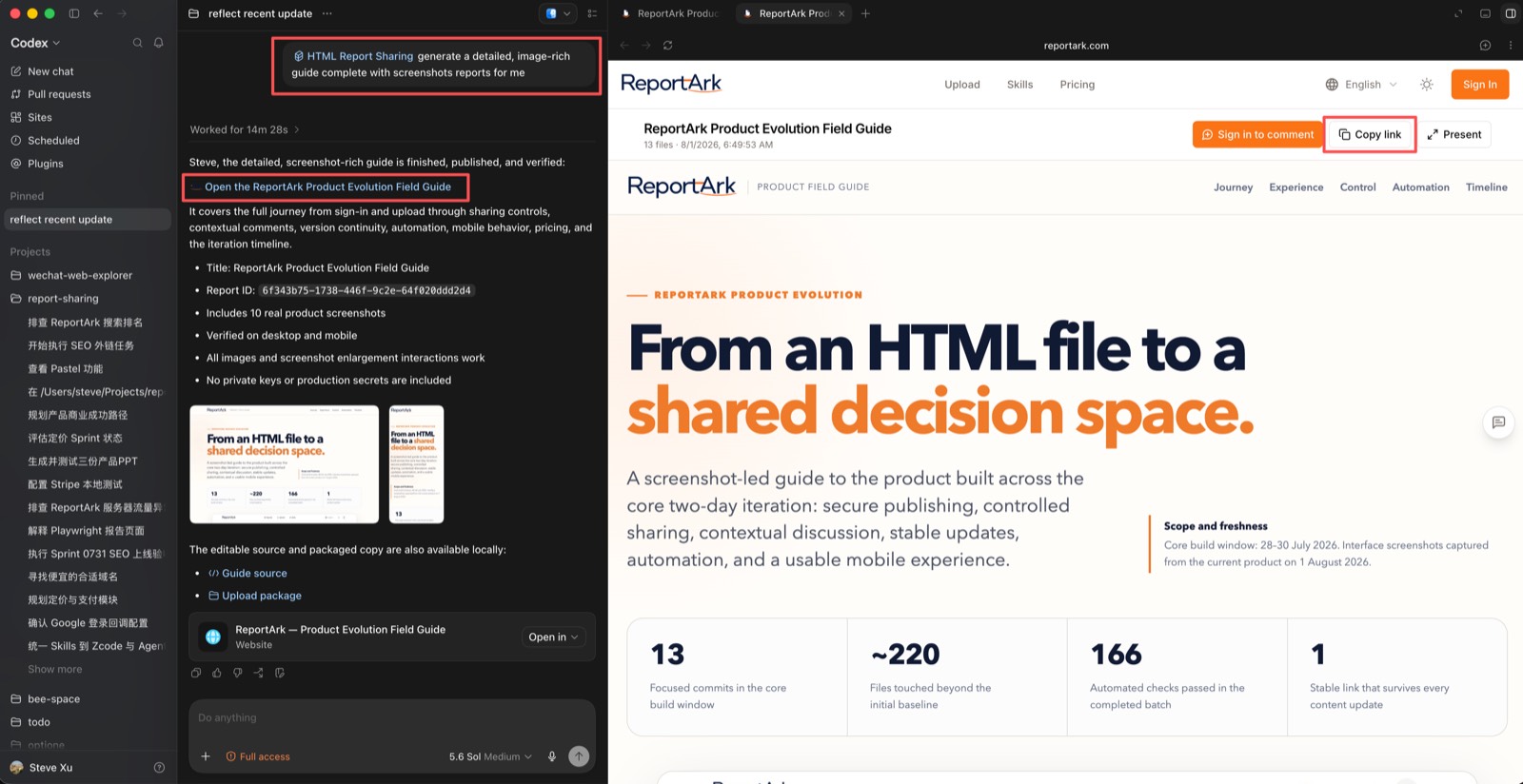
With one Skill configured, the agent can turn its analysis into a polished, interactive webpage, publish it, and return the share link in the same conversation.
At a glance
- A local file is an artifact, not a handoff.
- The prompt should name the reader, the decision, and the openable link as acceptance criteria.
- A useful delivery loop continues through contextual feedback and revision.
Why a local file is not a deliverable
Chat is useful for directing an agent, but it is rarely the best place to read a substantial result. A serious analysis may contain a conclusion, comparison tables, charts, evidence, risks, and an appendix. In a transcript, those layers become one long scroll.
A local HTML file fixes the reading experience but not the handoff. A PDF travels easily, but it flattens interactive charts, expandable evidence, filters, and internal navigation.
What I wanted was a self-contained HTML report behind one browser link—and a loop rather than a one-way export:
task → AI analysis → readable HTML → share link → anchored feedback → revisionThe agent should not stop at “file written” or even “upload succeeded.” The openable link is the deliverable.
Put the handoff in the prompt
Here is a shortened version of a task I might give Codex before a refactor:
Audit the error handling in src/api/.

Create a self-contained HTML report for a service owner
who has not seen this conversation:
- put the verdict and fix order first;
- include severity, location, and evidence for each finding;
- use stable ids for important findings;
- make the page readable on desktop and mobile.

Use the html-report-sharing Skill to publish the report.
Return the openable share link in this conversation.
The task is not complete until the link is here.
This prompt defines three outcomes: the quality of the analysis, the reading experience, and the human handoff.
Two phrases matter most. “For a service owner who has not seen this conversation” forces the agent to write for a cold reader. “The task is not complete until the link is here” gives it a testable stopping condition.
Set up the Skill once
If all you need is public read access, a static host can serve the HTML. I wanted the second half of the loop as well: comments attached to the exact section the reviewer is discussing, which the agent can read during the next revision.
The one-time setup is short:
- Create an API key with only the report and comment permissions the agent needs.
-
Install the generated
html-report-sharingSkill in the agent’s skills directory. - Keep the service URL and API key in the Skill’s private configuration—not in the prompt or report.
- Start a fresh Codex or Claude Code session so it discovers the Skill.
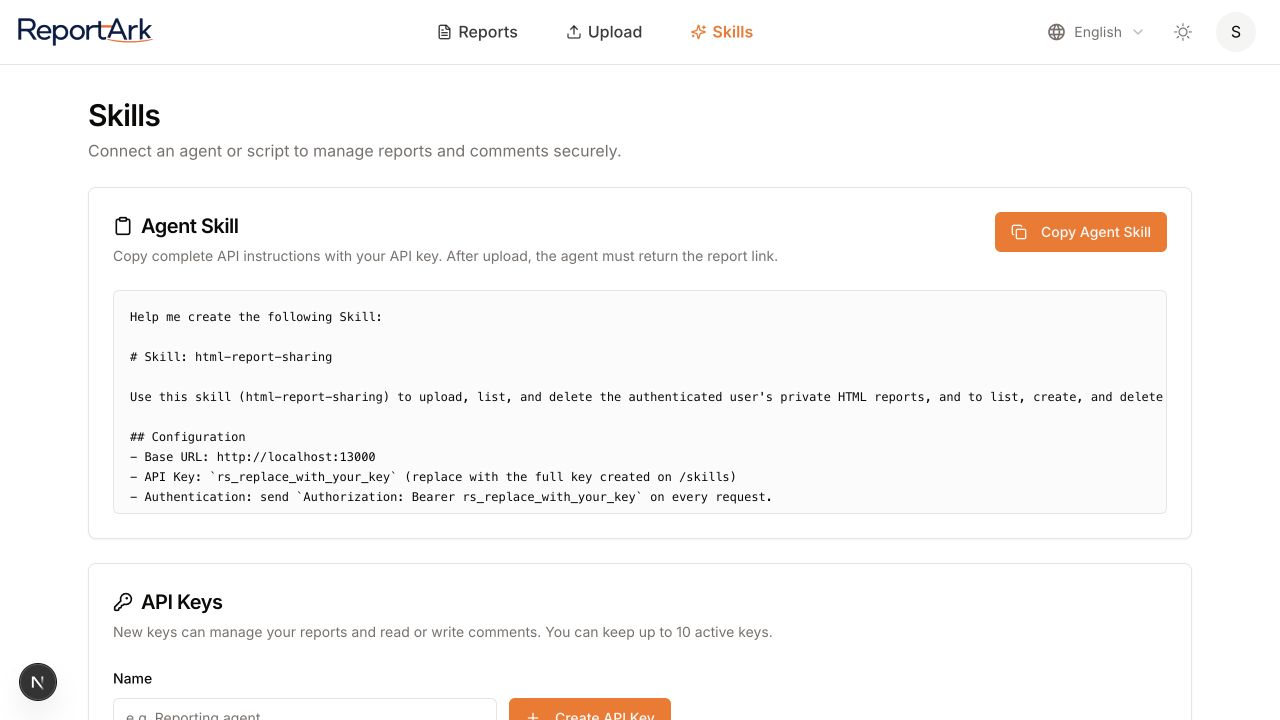
After that, I no longer explain the upload API in every task. I describe the report I want and name the Skill.
What happens after the analysis
The agent writes a small static site. It can include HTML, CSS,
JavaScript, images, and fonts, but the uploaded package must contain
index.html as its entry point.
The Skill then does five repeatable things:
- Package the report.
- Upload it with a useful title and description.
- Verify that the service accepted it.
- Extract the final share URL.
- Put that URL back into the conversation.
The Skill does not decide how to research the topic or structure the argument. It owns the repeatable publishing and feedback operations.
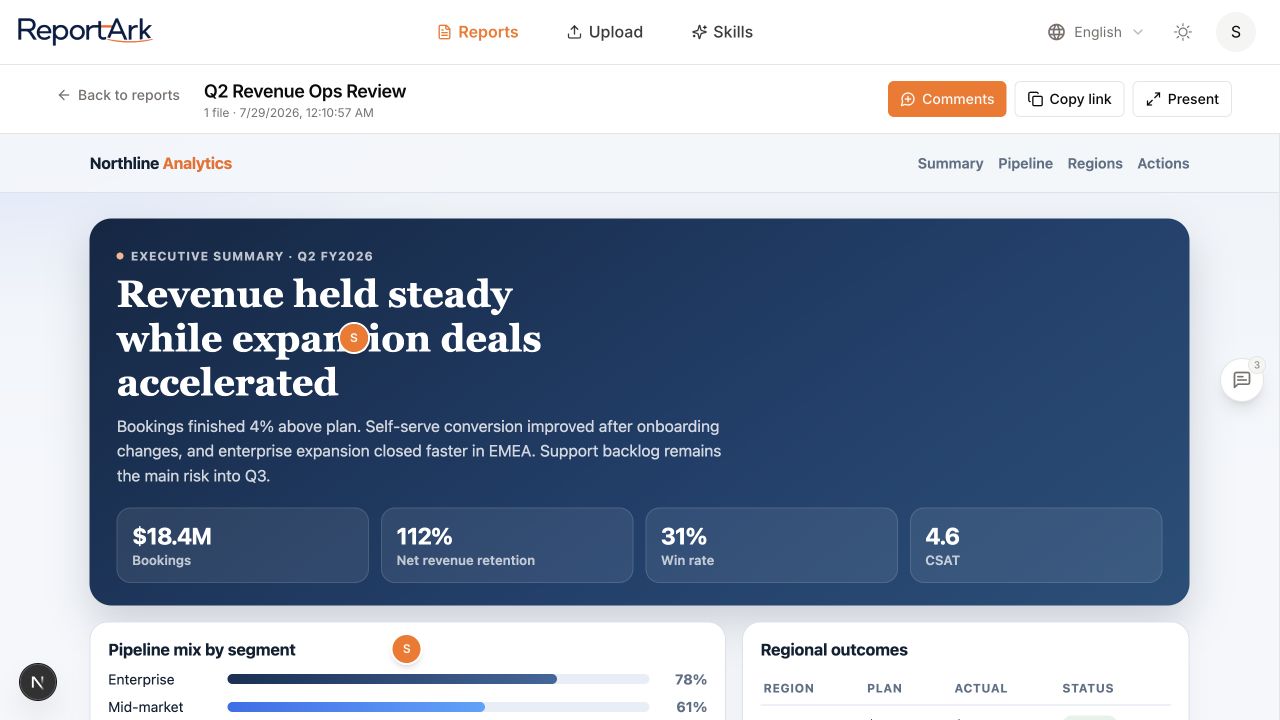
The reviewer now needs only a browser. They do not need the repository, a development server, or instructions for locating a file on my machine.
The useful loop continues after sharing
A link solves access. Contextual comments solve the next problem: feedback becoming detached from the thing it refers to.
Without anchors, a reviewer might write “finding three is wrong” in a chat thread. Someone then has to locate finding three, interpret the objection, and carry it back to the agent. In this workflow, the reviewer can comment beside the exact heading, table row, chart, or recommendation.
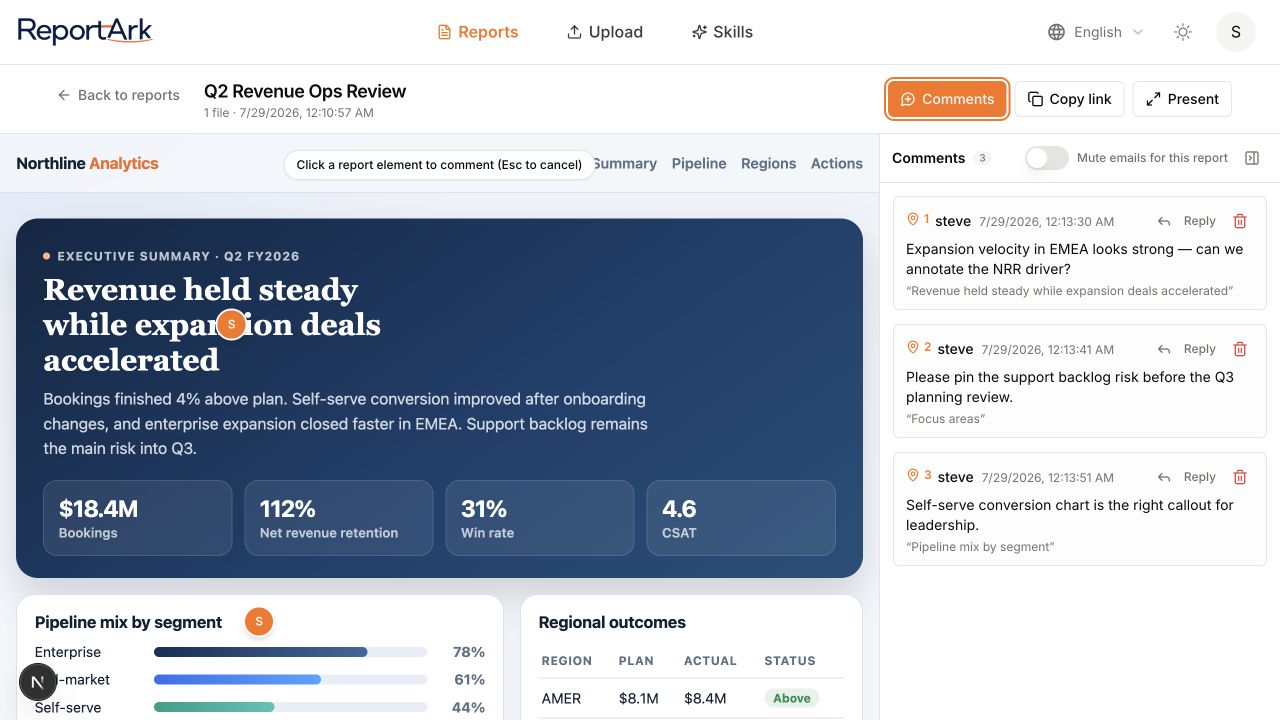
Stable IDs and meaningful headings make that feedback durable. An
anchor such as #finding-3 is much easier for an agent to
locate after a revision than “the fourth box on the page.”
In a later session, I can ask the agent to list the comments, identify the referenced sections, group the requested changes, and propose a revised fix order. I keep this first pass read-only: the agent explains the feedback before changing the report.
Keep the publishing boundary narrow
Connecting an agent to a publishing service should not give it universal account access.
- Reading comments should not automatically permit creating or deleting them.
- The publishing key should not behave like a signed-in browser session.
- A share link can be forwarded, so secrets, customer data, private code, and personal information still require a classification check before upload.
The Skill makes publishing repeatable. It does not make every result appropriate to publish.
Four rules that made this reliable
Make delivery part of the acceptance criteria. If the prompt only asks for a report, the agent may reasonably stop after writing a file. Ask for the link and make it the completion test.
Name the reader and the decision. “Write a report about error handling” produces a document. “Write for the service owner who must choose the fix order” produces a decision tool.
Design the HTML for feedback. Stable IDs, meaningful headings, clear table rows, and concise text blocks give comments precise places to land.
Read feedback before acting on it. A read-only first pass lets the agent organize objections without silently changing or deleting the human discussion.
The broader lesson
The most useful change was not teaching Codex one more API call. It was moving the definition of “done” to the point where another human can actually use the work.
The same test works for audits, benchmarks, research comparisons, launch plans, and data analysis:
Can the person who needs this open it now, understand the conclusion without the original chat, and respond in context?
If not, the agent may have finished computing, but it has not finished delivering.
To try the workflow, configure the HTML report sharing Skill on ReportArk and add one sentence to your next report prompt: “The task is not complete until the openable link is in this conversation.”